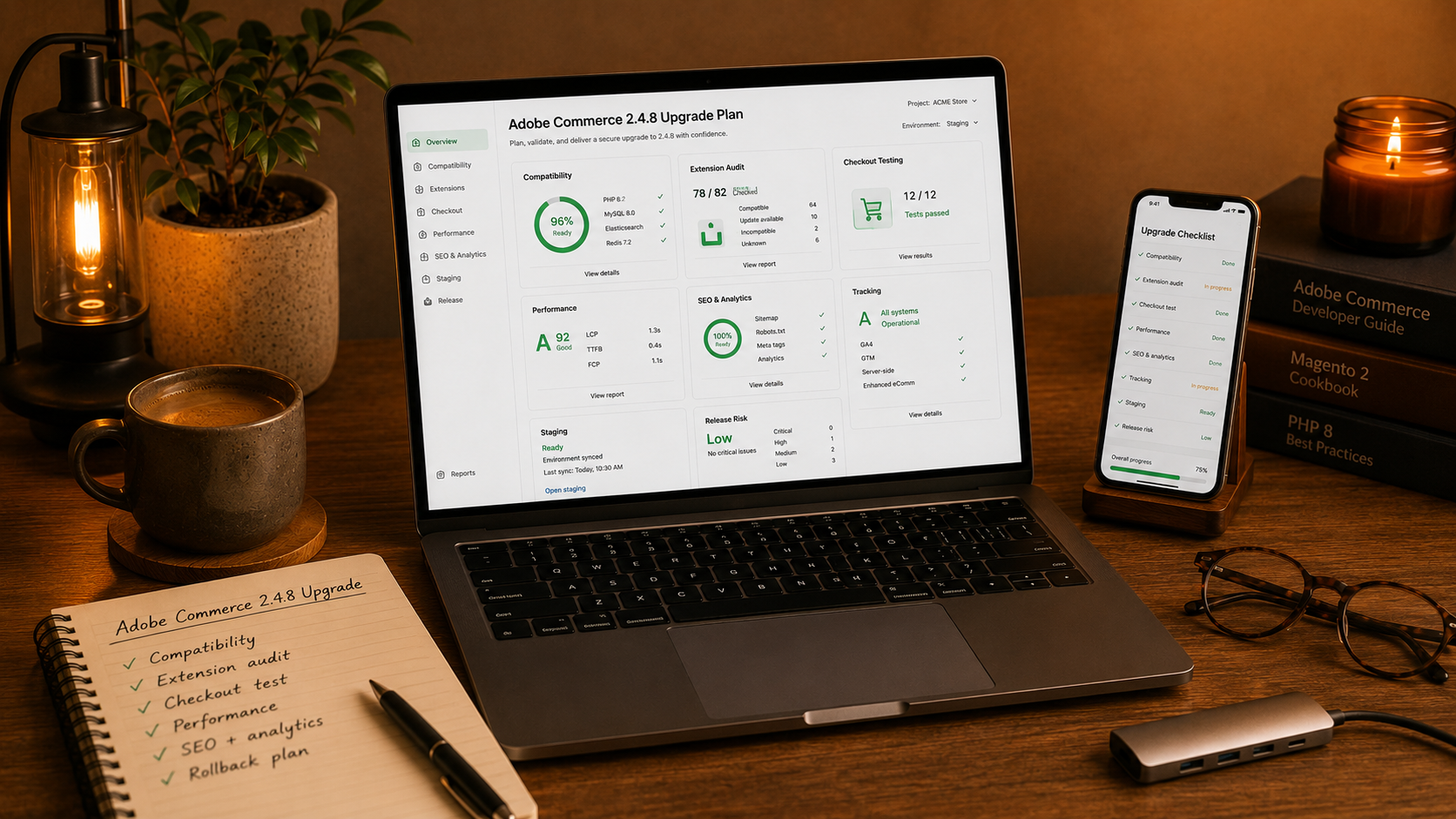

An Adobe Commerce upgrade is not just a technical task.
It affects checkout, extensions, performance, integrations, security, SEO, analytics, and daily store operations.
A version upgrade can make the store stronger.
But if it is rushed, it can also create serious problems.
Adobe Commerce 2.4.8 should be treated as a planned project, not a quick update.
Why Upgrades Matter
eCommerce platforms need regular maintenance.
Old versions can create risk over time.
Common risks include:
• Security issues
• Unsupported extensions
• Performance problems
• Compatibility problems
• Broken integrations
• Checkout instability
• Developer limitations
• Higher maintenance cost
A store may still work on an old version, but that does not mean it is healthy.
The longer updates are delayed, the harder the next upgrade can become.
Do Not Upgrade Without A Plan
A safe upgrade starts with preparation.
Before changing the production store, the team should understand what the upgrade affects.
Important planning areas include:
• Current Adobe Commerce version
• PHP version
• Database requirements
• Theme compatibility
• Extension compatibility
• Custom modules
• Checkout customizations
• Payment integrations
• Shipping integrations
• ERP or CRM integrations
• Search setup
• Tracking and analytics
• SEO settings
If these areas are not reviewed, the project can become unpredictable.
Audit Extensions First
Extensions are one of the biggest upgrade risks.
Many Magento and Adobe Commerce stores rely on third-party modules for payment, shipping, search, checkout, feeds, reviews, analytics, and admin workflows.
Some extensions may be outdated.
Some may not support the new version.
Some may conflict with each other.
Before upgrading, check:
• Which extensions are installed
• Which extensions are actually used
• Which extensions are outdated
• Which extensions have updates available
• Which extensions affect checkout
• Which extensions affect performance
• Which extensions can be removed
Removing unnecessary extensions can reduce risk.
Do not carry old technical debt into the new version if it is not needed.
Review Custom Code
Custom code can be useful, but it must be checked carefully.
Stores often have custom modules for business logic, integrations, catalog rules, checkout changes, pricing, customer groups, or admin workflows.
During an upgrade, custom code can break if it depends on old platform behavior.
Review:
• Custom modules
• Theme overrides
• Checkout changes
• API integrations
• Cron jobs
• Import and export logic
• Catalog customizations
• Order workflow changes
• Admin customizations
The goal is not only to make the code work.
The goal is to make it stable after launch.
Checkout Must Be Tested Deeply
Checkout is the most sensitive part of the store.
If checkout breaks, revenue stops.
Adobe Commerce checkout often includes many moving parts.
Test:
• Guest checkout
• Customer login
• Cart page
• Shipping address
• Billing address
• Shipping methods
• Tax calculation
• Discounts and coupons
• Payment methods
• Wallet payments
• Order confirmation
• Order emails
• Failed payment behavior
• Mobile checkout
Do not test only one perfect order.
Test real customer scenarios.
Check Performance
A successful upgrade should not make the store slower.
Performance testing should be part of the project.
Check:
• Homepage speed
• Category page speed
• Product page speed
• Search results
• Cart loading
• Checkout loading
• Admin performance
• Cache behavior
• Indexing
• Third-party scripts
• Database queries
Performance issues may come from extensions, theme code, configuration, hosting, or bad cache setup.
Do not wait until after launch to find them.
Protect SEO
An upgrade can accidentally damage SEO.
Even if the store looks fine visually, technical SEO can break quietly.
Check:
• Metadata
• Canonical tags
• Robots settings
• Sitemap
• Redirects
• Structured data
• Product URLs
• Category URLs
• Pagination
• Internal links
• Page speed
• Tracking scripts
SEO should be included in the upgrade checklist.
A technically successful launch can still hurt traffic if SEO is ignored.
Protect Tracking And Analytics
Analytics can break during upgrades.
If purchase events, product events, or checkout events stop working, the business loses visibility.
Check:
• GA4 events
• Purchase tracking
• Add to cart tracking
• Checkout step tracking
• Product view tracking
• Meta Pixel
• Google Ads conversion tracking
• Consent mode
• Server-side tracking
• Data layer structure
Tracking should be tested before and after launch.
Without clean data, it is harder to understand whether the upgrade worked well.
Use A Staging Environment
Never test a major upgrade only on production.
A staging environment gives the team space to test safely.
The staging store should be close to production.
It should include:
• Similar code
• Similar database structure
• Similar configuration
• Realistic product data
• Realistic checkout scenarios
• Test payment methods
• Test shipping methods
• Admin workflows
The closer staging is to production, the more useful testing becomes.
Prepare A Release Plan
Launch day should not be improvised.
A release plan should include:
• Deployment steps
• Backup plan
• Rollback plan
• Testing checklist
• Responsible people
• Launch time
• Post-launch monitoring
• Communication plan
• Critical issue process
Everyone should know what happens before, during, and after the upgrade.
What Store Owners Should Ask
Store owners do not need to understand every technical detail.
But they should ask the right questions.
Useful questions include:
• What can break?
• Which extensions are risky?
• Has checkout been tested?
• Has mobile been tested?
• Has SEO been checked?
• Has tracking been checked?
• Is there a rollback plan?
• What happens after launch?
• Who monitors the store?
Good questions reduce bad surprises.
Final Thought
Adobe Commerce 2.4.8 can be a valuable upgrade.
But the project should be handled carefully.
A strong upgrade protects revenue, improves stability, and reduces future technical risk.
A rushed upgrade can create checkout issues, broken integrations, tracking gaps, and SEO problems.
Treat the upgrade as a business-critical project.
Plan it properly, test it deeply, and launch it with control.

Let’s create your success story next.
We are happy to answer any questions you may have in regard to our eCommerce services!